RetinaRest : Free Windows Eye Health App by Tazim Hossen
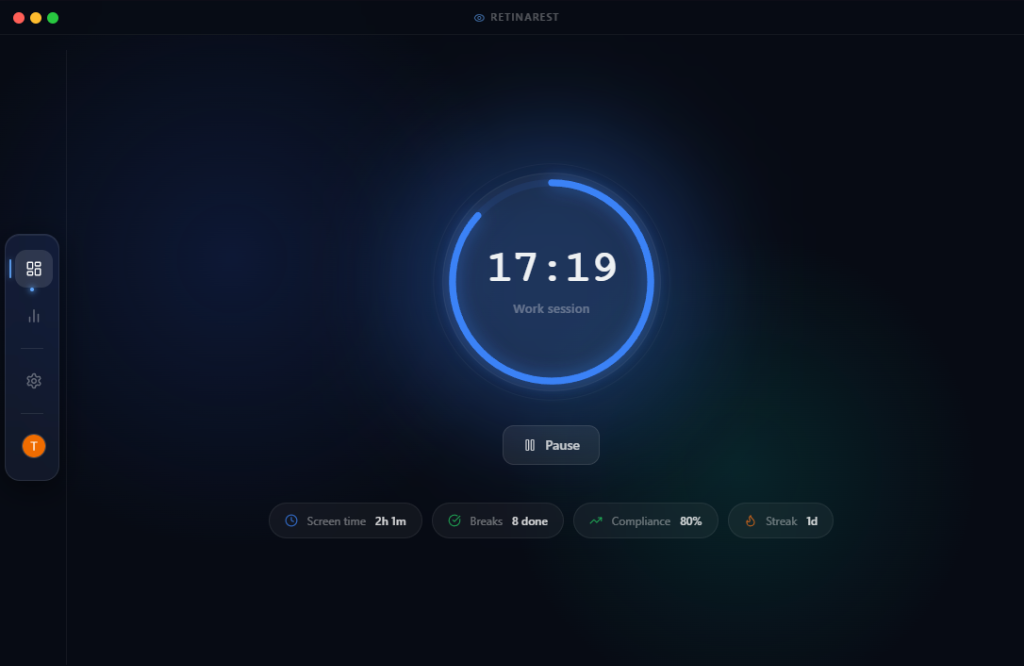
A production-grade Windows desktop app that automatically reminds you to rest your eyes using the scientifically-proven 20-20-20 rule. Smart. Quiet. Always running.
Interface
See it in action
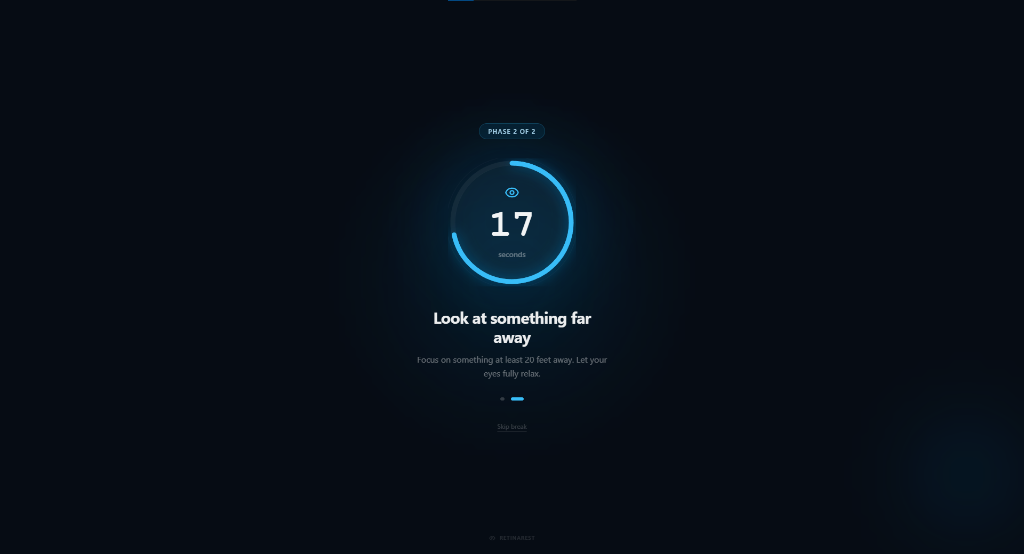
Demo
Watch it in 60 seconds
Watch a 60-second walkthrough of RetinaRest's 20-20-20 eye break timer, health dashboard, and full-screen break overlay
Or visit GitHub Releases for the changelog.
What's inside
Built for real users
Smart Timer Engine
A finite state machine that persists across crashes. Survives restarts, dynamically adjusts when you change settings, never resets your progress.
Full-Screen Break Overlay
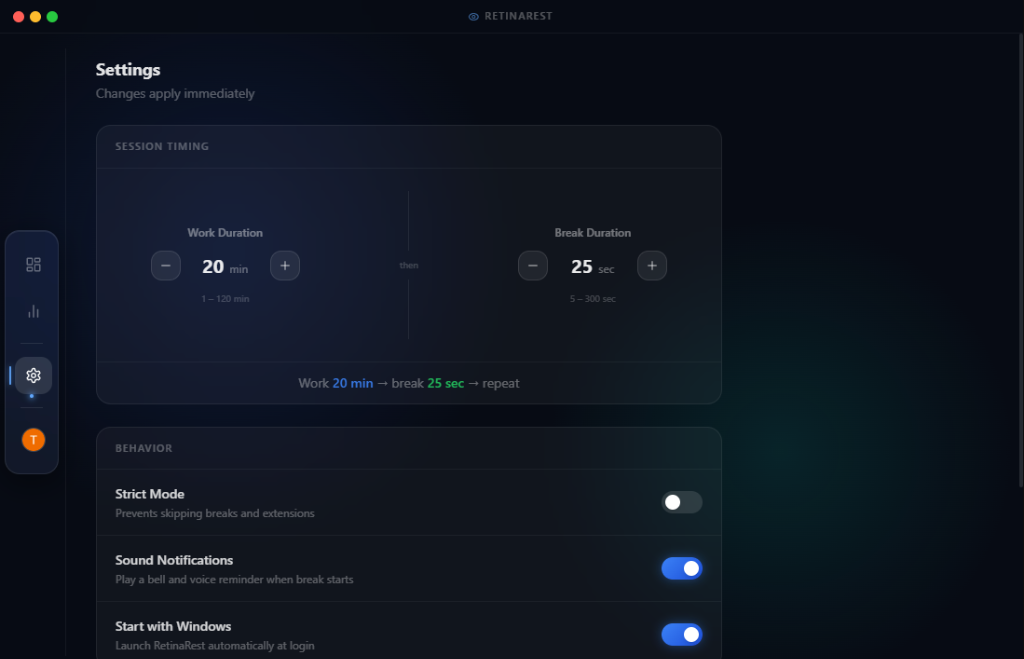
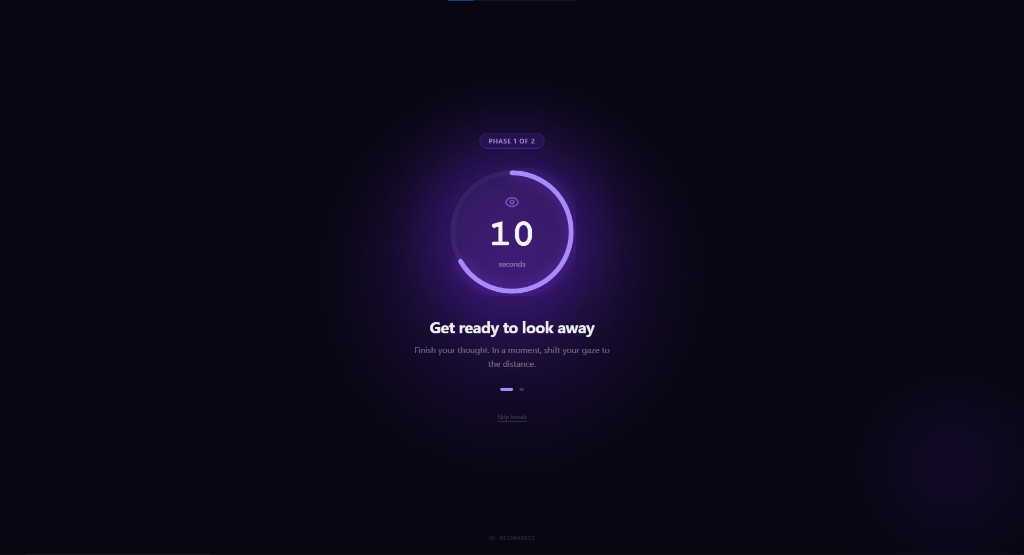
A separate window that appears over everything when a break is due. Optional Strict Mode prevents skipping.
Eye Health Dashboard
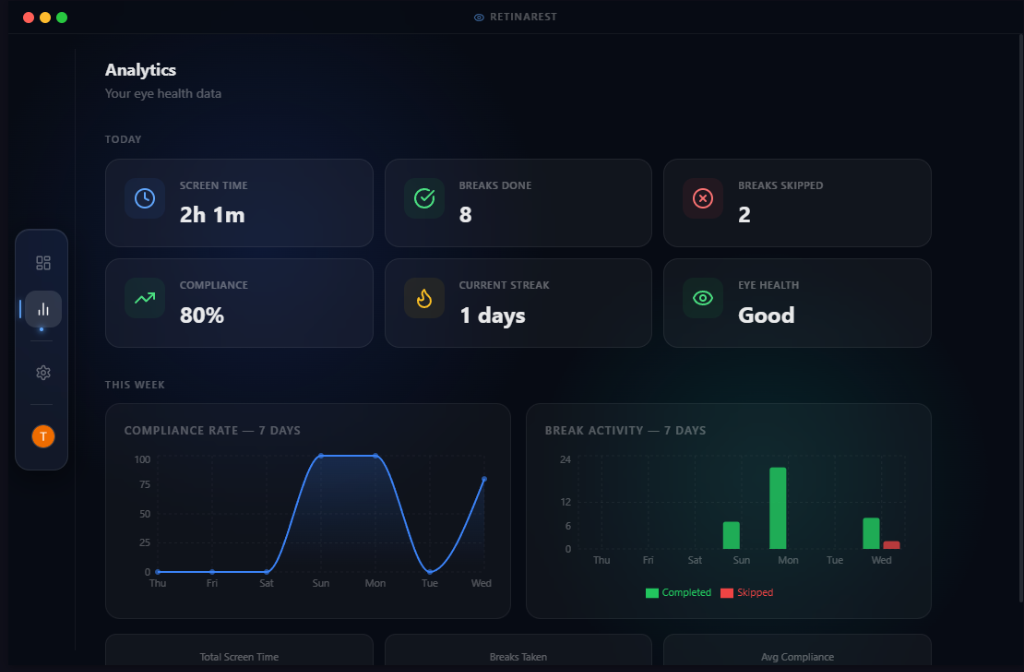
Daily stats, compliance rate, streak tracking, and beautiful weekly bar charts (Recharts). Know your habits at a glance.
Google Auth + Guest Mode
Sign in with Google for cloud sync, or use the app entirely offline as a guest. Row-Level Security keeps your data private.
Silent Auto-Updates
Checks for updates in the background, downloads silently, and shows a live progress toast. Install on quit, just like professional software.
System Tray Integration
Lives quietly in your tray. Closing the window hides it; the timer keeps running. Quit only when you truly want to.
Architecture
Domain-Driven Design · Production Stack
-
Electron v33
React 18
TypeScript
Vite + electron-vite
TailwindCSS
Recharts
SQLite + Prisma ORM
Supabase PostgreSQL
Google OAuth
Zustand
electron-builder
electron-updater
NSIS Installer
DDD Architecture
PostHog Analytics
Changelog
... Releases Shipped
Transparency
Your Privacy, Clearly Stated
What we collect
A random anonymous ID generated on your device, your app version, OS platform, and usage events (breaks completed or skipped, app opens). Stored in the EU via PostHog. Never linked to your identity.
What we never collect
No names, emails, passwords, IP addresses, file names, clipboard contents, screenshots, or any personally identifiable information. Ever.
Analytics can be disabled anytime: Settings → Privacy → Anonymous Usage Analytics → Off
Your eyes deserve a break.
Free. Open source. Auto-updating. No subscriptions, no ads, no personal data. Just healthier eyes.